Get paid by friends & family
Your sister wants to send you $200 in bitcoin. You text her an address, she pastes it into her app, she sends. Two computers and a message thread sit between your KeepKey and her wallet — and any of them can change an address without either of you noticing. This is how to do it so you both know the address is right.
1. Get a fresh address from your KeepKey
In KeepKey Desktop, open the asset (Bitcoin here) and click Receive. Then click Verify on Device and read the address on the KeepKey screen. That screen is the one to read from for the rest of this guide.
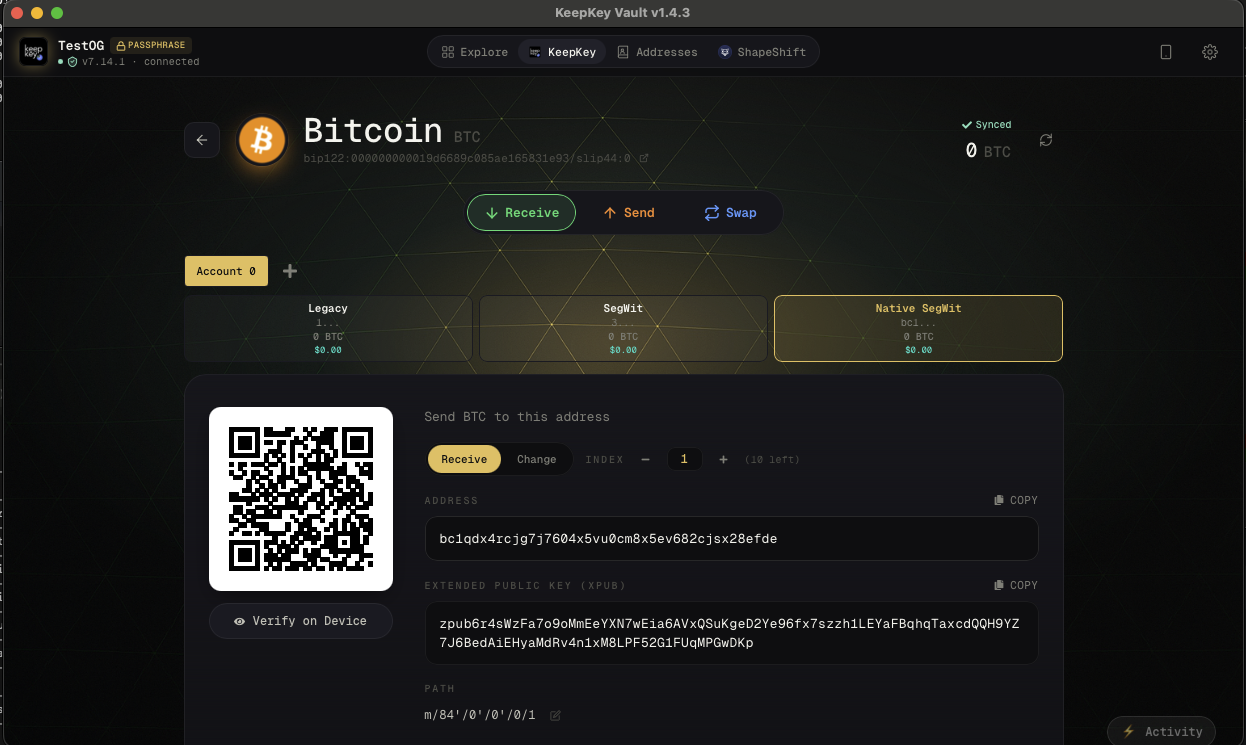
2. Send it to them
Copy the address, or let them scan the QR code, and send it the way you normally talk — text, email, messenger. This part is convenient, not trusted: a message can be edited, and a clipboard can be swapped by malware (see Clipboard swapping).
3. Check it together — out loud, from your KeepKey screen
Call them, or send a voice note. With the address on your KeepKey screen, read it to them in groups of four characters:
“b-c-1-q … c-r-8-t … e-4-k-r … 6-0-9-g …”
They follow along in the recipient field of their wallet app, where the address will actually be used — not in the message you sent. Read the whole address, the middle included. Lookalike addresses are made to match the first and last few characters (why).
If any group doesn’t match, stop. Generate the address again and start over.
4. Small test first, then the rest
For a first payment, or a large one, ask them to send a small amount first. When it shows up in KeepKey Desktop, tell them to send the rest to the same address. The test costs one extra network fee; it’s the cheapest insurance there is.
5. Save each other
If you’ll do this again, both save the verified address with a clear label — you in their contact card, them in their wallet. In KeepKey Desktop, save the people you pay in your Address Book. Next time the label confirms the recipient before you even get to the device.
If you’re the one sending
Everything above works in reverse. Ask for their address, call them, and have them read it from their wallet’s own screen — for a KeepKey, the device screen — while you compare it with the recipient field in KeepKey Desktop. Then check it once more on your KeepKey before you approve. See Send & Receive.
What this protects against
- A swapped clipboard on either computer — the read-back catches it.
- An edited or spoofed message — you’re comparing against the device, not the message.
- A typo or partial copy — a group of four won’t match.
It won’t help if the receiving wallet itself is compromised, which is why the receiver reads from a hardware wallet screen whenever they can.