Hidden Wallets (Advanced)
“Passphrase creates a separate hidden wallet from the same seed. If enabled, you MUST remember it — a wrong passphrase opens a different empty wallet, not an error.”
— card 3 of 3, shown after setup
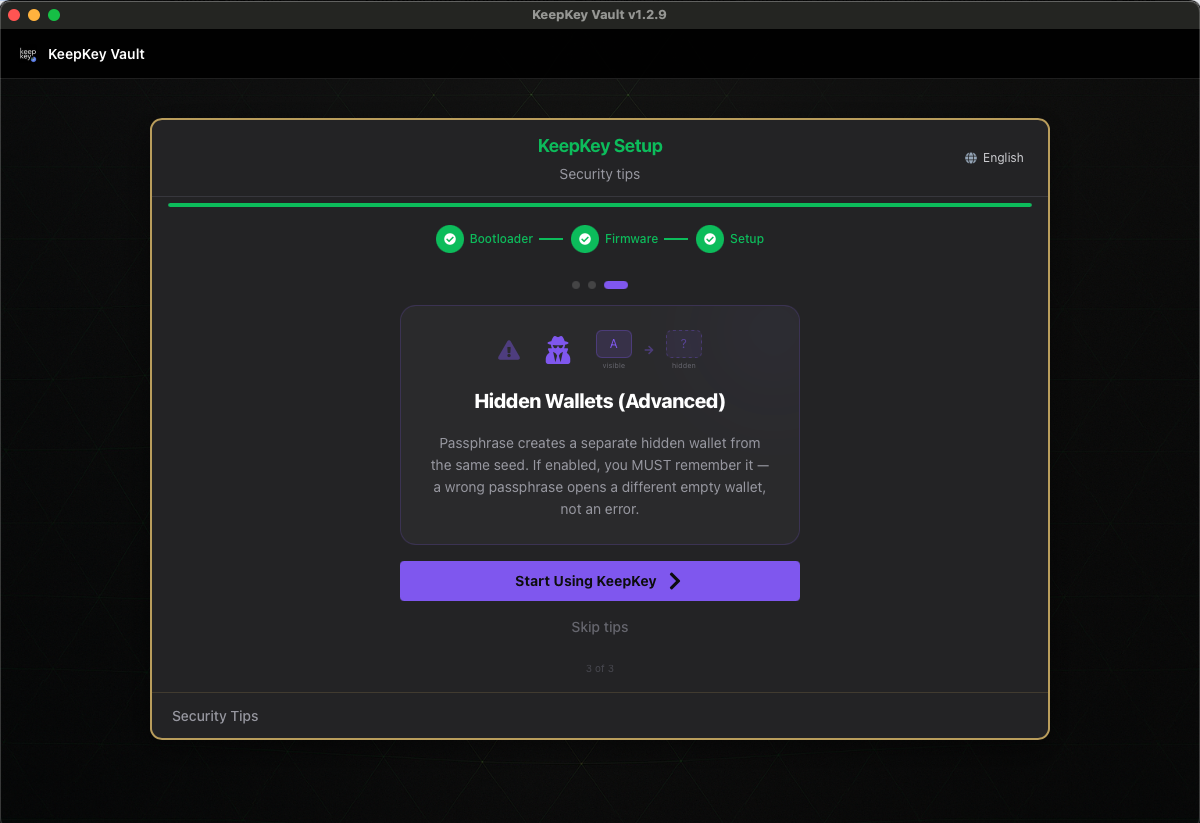
This is the only card in the wizard you cannot skip. It carries a live toggle — Enable passphrase protection — and you have to make a call before setup finishes. Either answer is fine, and both are reversible in Settings. Read this page before deciding.
What a passphrase actually does
Recovery phrase plus a passphrase derives a completely different wallet. Every passphrase is valid: there is no “wrong passphrase” error, so a typo or different capitalization opens a different, empty wallet. If you fund a hidden wallet and can’t reproduce the passphrase exactly, your recovery phrase alone will not bring those funds back. Because the passphrase is never stored on the device, it also protects the hidden wallet against someone who has the device itself. Passphrase covers the full behavior, the risks and plausible deniability.
How to decide, right now
Leave it off if: this is your first hardware wallet, or you’re not confident you can reproduce a string exactly, years from now, under pressure. Off is a completely reasonable default — your seed and PIN are already a strong setup. You can turn it on later, once you’re comfortable.
Turn it on if: you understand the “every passphrase is valid” behavior, you have a plan for remembering the passphrase, and you specifically want the physical-coercion protection.
“You can turn this on or off anytime in Settings.” — the app’s own hint, and it’s true. Enabling it does not create a hidden wallet by itself; it means you’ll be prompted for a passphrase when you unlock. Nothing is lost by choosing either way today.
If you enable it
Choose a passphrase you can reproduce exactly, back it up separately from your recovery phrase, and test it before sending funds. Step-by-step guidance is in Choosing and backing up a passphrase. Reconnecting the device requires re-entering the passphrase every time.
Related
- Passphrase — full behavior, multiple hidden wallets, day-to-day use
- Security — why KeepKey chooses openness over a secure element
- Settings → Security — turning it on or off later
- All setup screens