Desktop Application
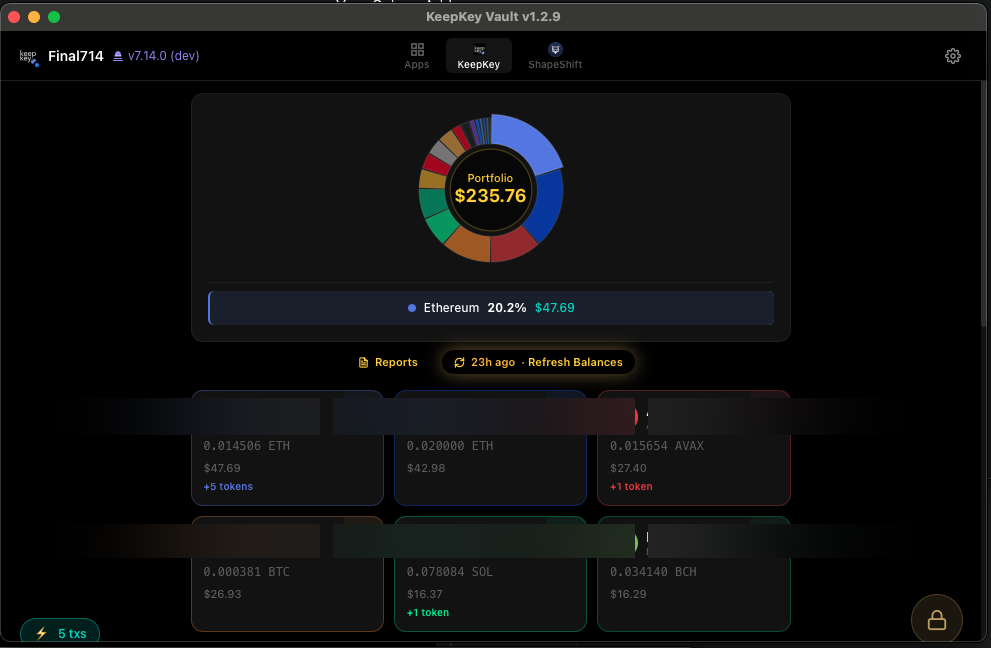
The KeepKey desktop application is the primary way to manage your hardware wallet. It runs on macOS, Windows, and Linux, and gives you a portfolio view, swap aggregator, receive/send flows, settings, and firmware updates — all backed by the hardware device.
What it does
- Portfolio — See all your balances across every chain KeepKey supports, with real-time prices.
- Send & Receive — Generate receive addresses (shown on the device for verification) and sign outgoing transactions.
- Swap — Built-in swap aggregator for cross-chain trades. Review and approve on the device.
- Settings — Manage the PIN, passphrase, device label, signing policies, and the local REST API.
- Firmware updates — Safely update the device firmware when new versions ship.
- BIP85 derived seeds — Generate child wallets deterministically from your main seed.
- Local REST API — On
http://localhost:1646, so external apps (web, native, CLI) can integrate with your device.
Next steps
- Install — Download for your OS and run the first-launch checks
- Coming back to an old KeepKey — Haven’t used your KeepKey in years? Start here
- Set Up Your KeepKey — Set up a new device or recover an existing seed
- Recovery Phrase — Protect the single most important thing you own
- Verifying Transactions — The habit that keeps your funds safe
- Portfolio — Your main dashboard
- Settings — Configure the device and the local REST API
More help
Last updated on