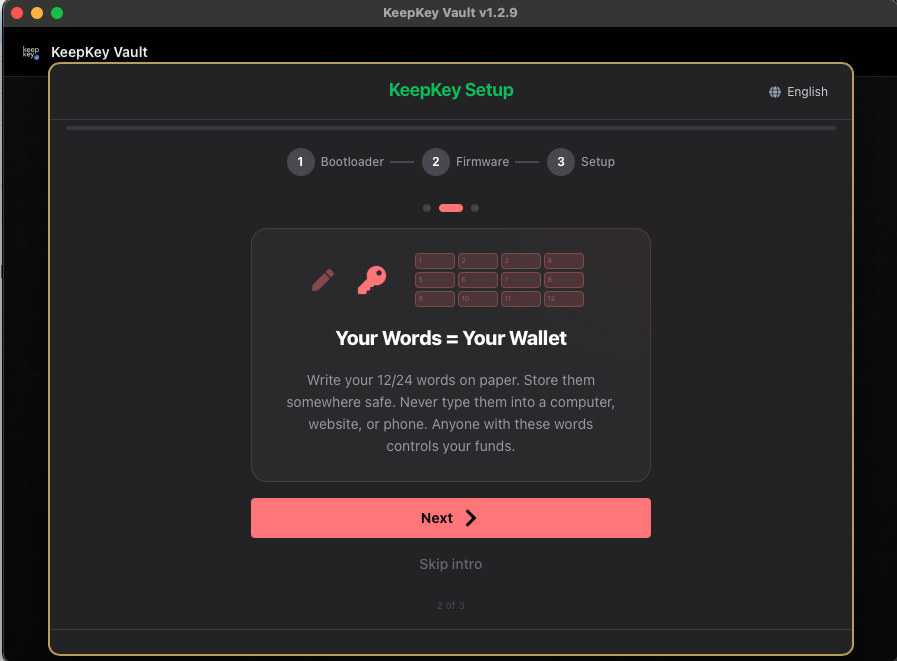
Your Words = Your Wallet
“Write your 12/24 words on paper. Store them somewhere safe. Never type them into a computer, website, or phone. Anyone with these words controls your funds.”
— card 2 of 3, shown before setup
What this screen is telling you
The words are not a password for your wallet. They are the wallet. Every private key, every address, on every chain, is derived from them. The KeepKey is a convenient, hardened place to keep them — but the words alone are enough to rebuild the entire wallet on any device, anywhere, with no PIN and no KeepKey.
Two consequences follow from that, and they pull in opposite directions:
- Lose the words and your device dies → your funds are gone. There is no reset, no support ticket, no recovery email. Nobody at KeepKey can help.
- Someone else reads the words → your funds are gone. Instantly, silently, and irreversibly.
So you need a copy that survives fire, flood, and your own memory — and that no other person will ever see.
Write them on paper
The words appear on the device screen, one at a time. They are never sent to your computer. Keep it that way:
Never:
- Type them into a computer, phone, or tablet — including a password manager
- Photograph or screenshot them
- Store them in cloud notes, email drafts, or a text file
- Read them aloud on a call, or into a room with a smart speaker
- Enter them into any website, ever, for any reason
Do:
- Write them with pen on paper, or stamp them into steel
- Copy the words in order, numbered, and check spelling against the device
- Make a second copy and store it in a different physical location
- Keep them somewhere a houseguest, contractor, or burglar would not casually find
Order matters
The phrase is an ordered list. Word 7 in position 3 recovers a different, empty wallet. Number your lines as you write.
The only thing that will ever ask for them
The KeepKey device itself, during recovery, using scrambled cipher entry — never a text box.
Anything else asking for your 12 or 24 words is a theft attempt. This includes: a “KeepKey support” chat, a “wallet validation” page, an airdrop claim, a Discord DM, a browser popup, or a lookalike app. There is no legitimate scenario in which support, a website, or a dApp needs your recovery phrase.
Passphrase is separate
If you later enable a passphrase, it is not part of these words and is not backed up by writing them down. Losing the passphrase loses that hidden wallet even with a perfect seed backup.
Related
- Recovery Phrase — storage strategies in depth
- Verify Your Recovery Phrase — proving your backup actually works
- All setup screens