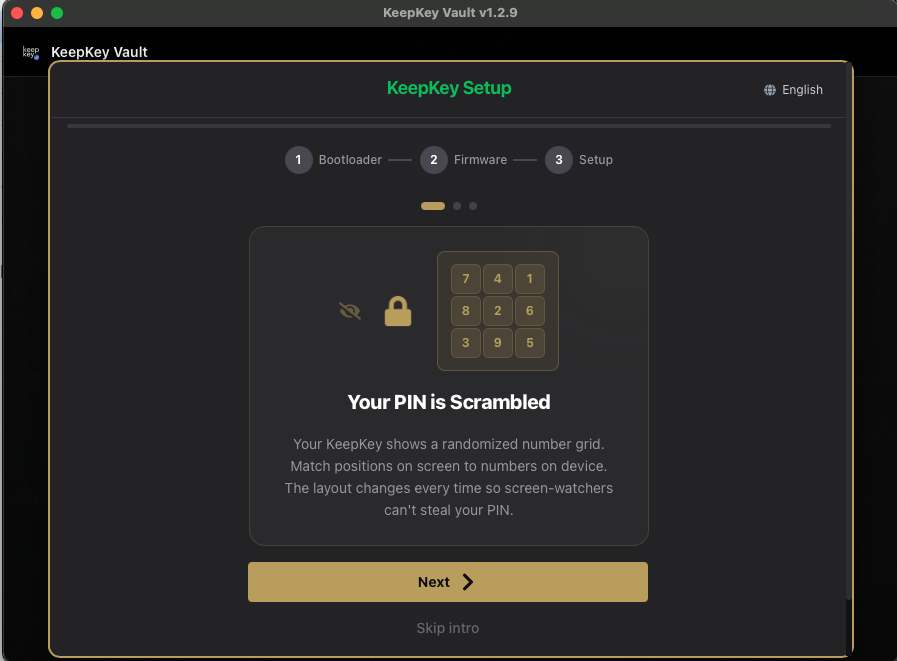
Your PIN is Scrambled
“Your KeepKey shows a randomized number grid. Match positions on screen to numbers on device. The layout changes every time so screen-watchers can’t steal your PIN.”
— card 1 of 3, shown before setup
You never type your PIN into the computer. The digits appear only on the KeepKey screen. KeepKey Desktop shows a blank 3×3 grid and records which positions you click. It never learns which digits they were.
How it works
Say the device shows:
7 4 1
8 2 6
3 9 5
To enter 1234, click top-right (1), center (2), bottom-left (3), then top-middle (4) on the blank grid in KeepKey Desktop.
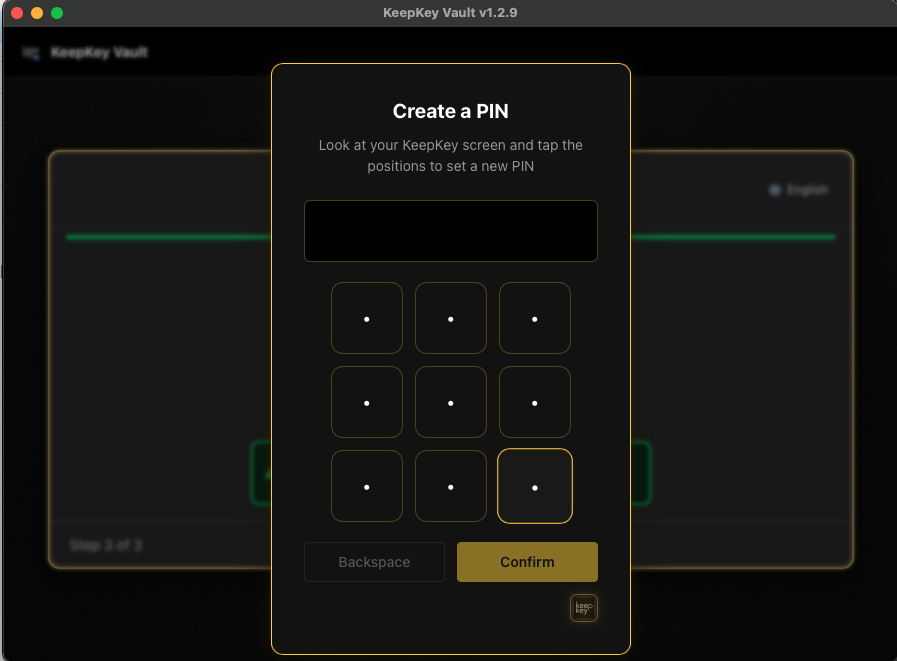
The device reshuffles the digits for every entry, including the second entry when you set a PIN. The same four clicks will spell a different number next time.
What it protects against
| Attack | What the attacker gets |
|---|---|
| Shoulder surfing, screen recording | Grid positions that are only valid for that one entry |
| Keylogger | Mouse clicks, not digits |
| Compromised desktop app | Positions only. The digit layout is shown only on the device |
Related
- PIN: choosing, changing and forgetting your PIN
- Your Words = Your Wallet: the next card
Last updated on