Swap
The desktop application has a built-in swap aggregator for cross-chain trades. You can trade between any supported assets — Bitcoin to Ethereum, ATOM to RUNE, USDC to SOL — without going to an exchange, creating an account, or doing KYC. Everything is routed on-chain through decentralized protocols.
1. Choose what to swap
Start by selecting the asset you want to trade from and the asset you want to trade to, then enter an amount.
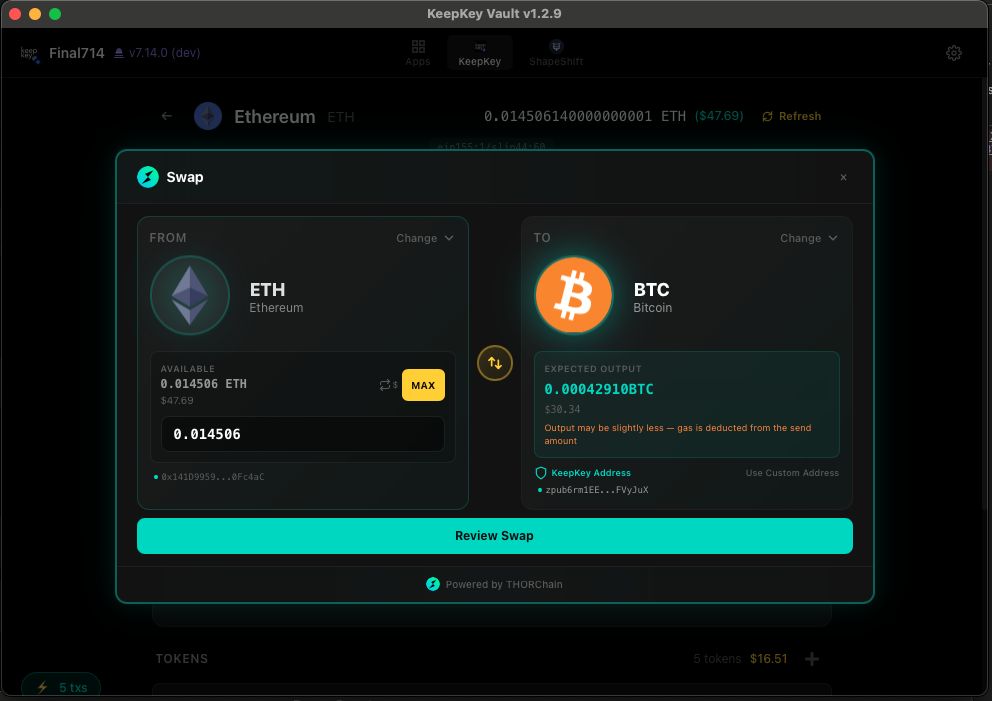
The aggregator queries six swap providers — THORChain, Mayachain, Relay, 0x, ChainFlip, and ShapeShift (a third-party route whose swapper aggregates LI.FI, Squid, and Across on EVM chains) — and picks the best route based on price and fees.
2. Review the quote
Before you commit, the desktop application shows you the full quote:
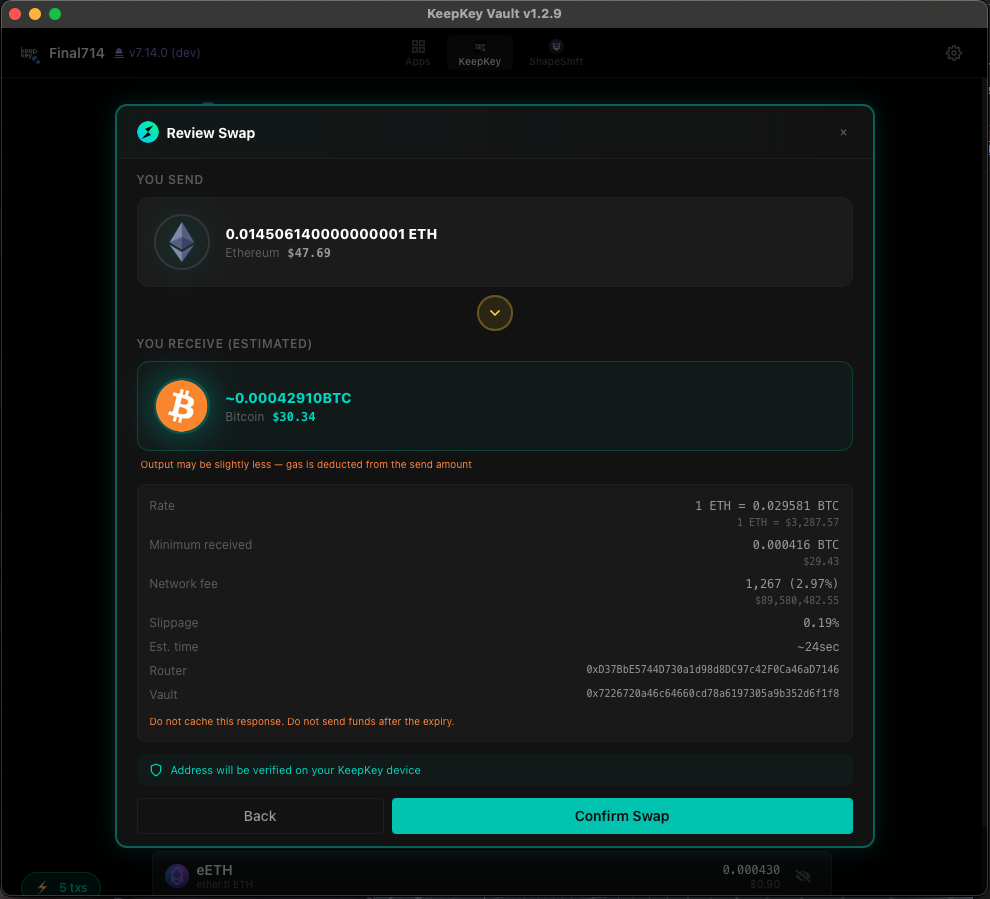
You’ll see:
- Exchange rate — how much you’ll receive per unit you send
- Slippage — how much the price can move before the swap fails
- Network fees — gas or protocol fees on both sides of the swap
- Provider fees — any fees the swap protocol charges
- Estimated time — how long the swap will take to complete (cross-chain swaps can take minutes)
- Route — which protocol will actually execute the trade
Read everything. Bad swaps are usually the result of not reading the review screen.
3. Confirm on the device
Click Swap, and the device takes over. It shows you the transaction to sign — for cross-chain swaps, this is usually a deposit to a swap contract or a THORChain MsgDeposit.
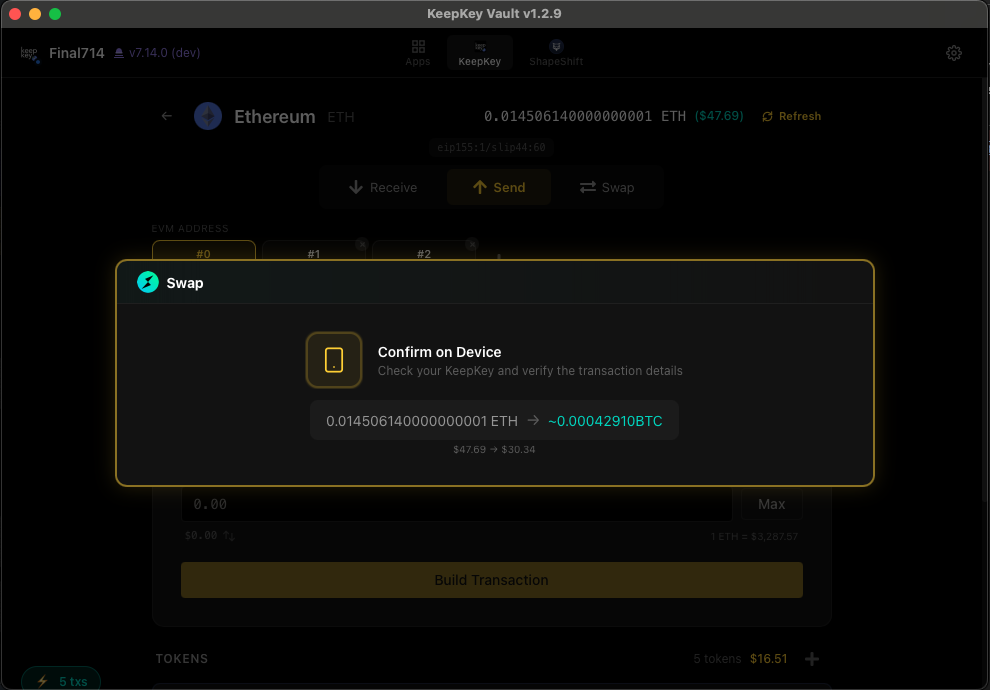
Read the address and amount on the device screen. Make sure:
- The amount being sent matches what you reviewed
- The destination is the expected swap contract
- The network is the one you expect to send from
If it looks right, approve on the device.
4. Wait for completion
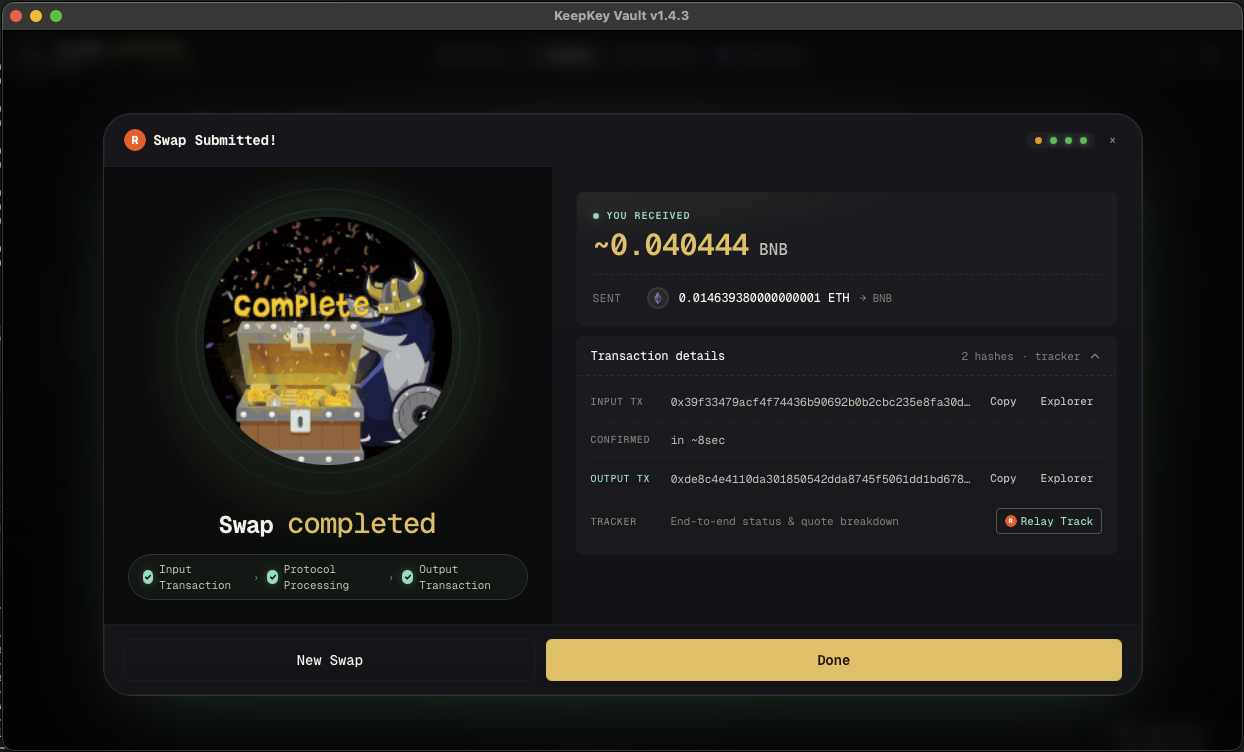
After you sign, the desktop application broadcasts the transaction and tracks progress through three stages.
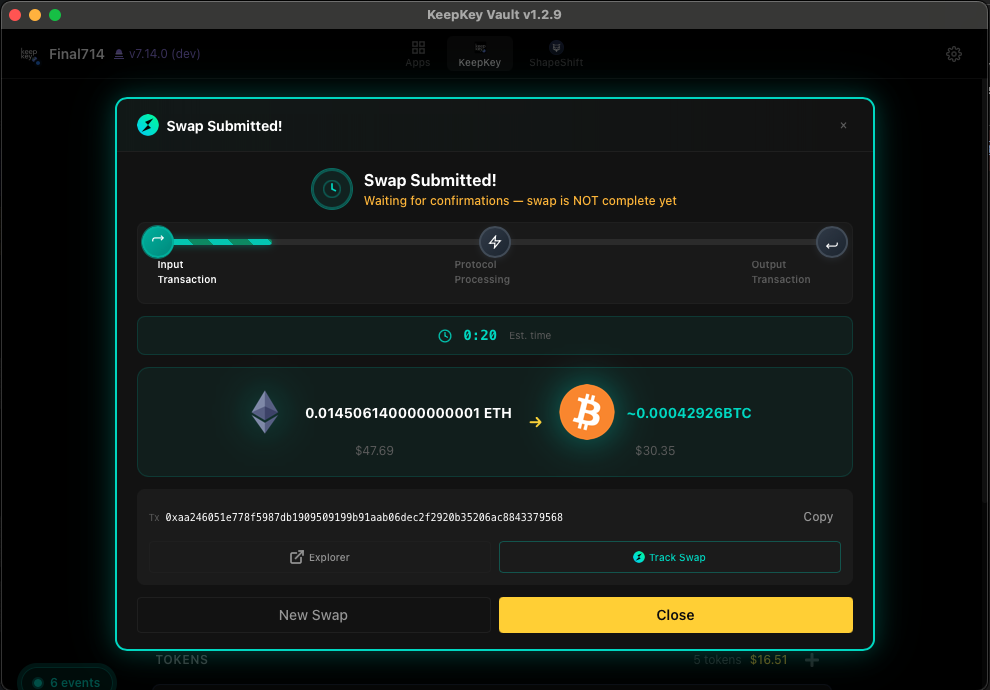
- Input Transaction — your outbound transaction confirming on the source network
- Protocol Processing — the swap protocol (THORChain, Mayachain, etc.) routing the trade
- Output Transaction — the inbound transaction arriving on the destination network
Total time varies from a few seconds (same-chain EVM swaps) to several minutes (Bitcoin → Ethereum through THORChain). The estimated time is shown on the status screen.
When all three stages complete, the desktop application shows a completion screen with the amount you received, input/output transaction IDs, and links to block explorers.
Slippage and failed swaps
If the market moves beyond your slippage tolerance between quote and execution, the swap will fail. Your funds come back to your address (minus network fees for the failed attempt). This is normal — try again with a fresh quote.
Related
- Portfolio — where you start a swap
- Verifying Transactions — always verify the signing prompt