Explore
The Explore tab connects your KeepKey to the broader ecosystem — dApps, integrations, and companion tools.
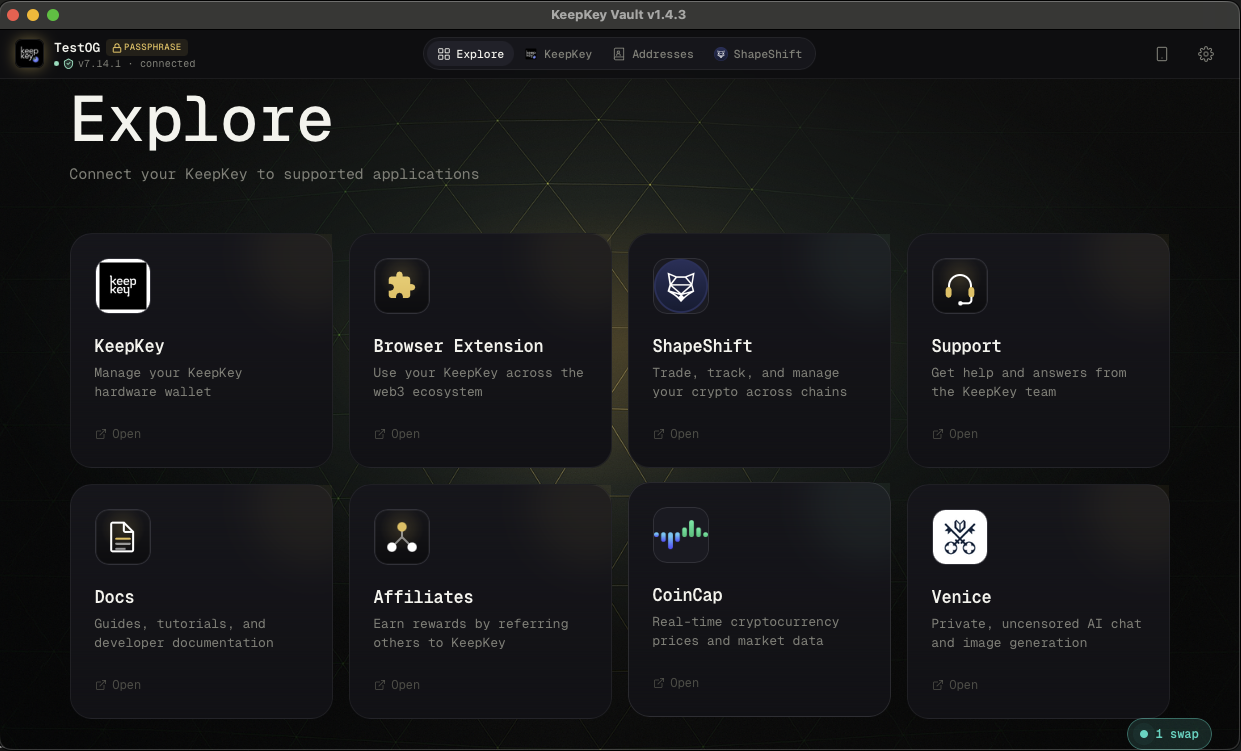
What’s available
- KeepKey — the main portfolio view (quick return to home)
- Browser Extension — install the KeepKey browser extension to connect your device to dApps like Uniswap, Aave, and OpenSea directly from Chrome or Firefox
- ShapeShift — open ShapeShift to trade, earn, and manage DeFi positions with your KeepKey connected
- Support — get help, file issues, and find from the KeepKey support team
- Docs — this documentation site
- Affiliates — KeepKey partner services
- CoinCap — live cryptocurrency market data
- Venice — private AI tools, cryptocurrency-compatible
Browser extension
The browser extension is how your KeepKey becomes a signing device for any web3 dApp. Once installed and paired, dApps can request addresses and signatures from your device — every request still requires physical approval on the KeepKey itself.
Pairing requires the API Bridge to be enabled in Settings → Application.
Related
- Settings — enable the API Bridge for dApp connections
- Send & Receive — direct asset transfers without a dApp
- Swap — built-in swap aggregator
Last updated on