Address Book
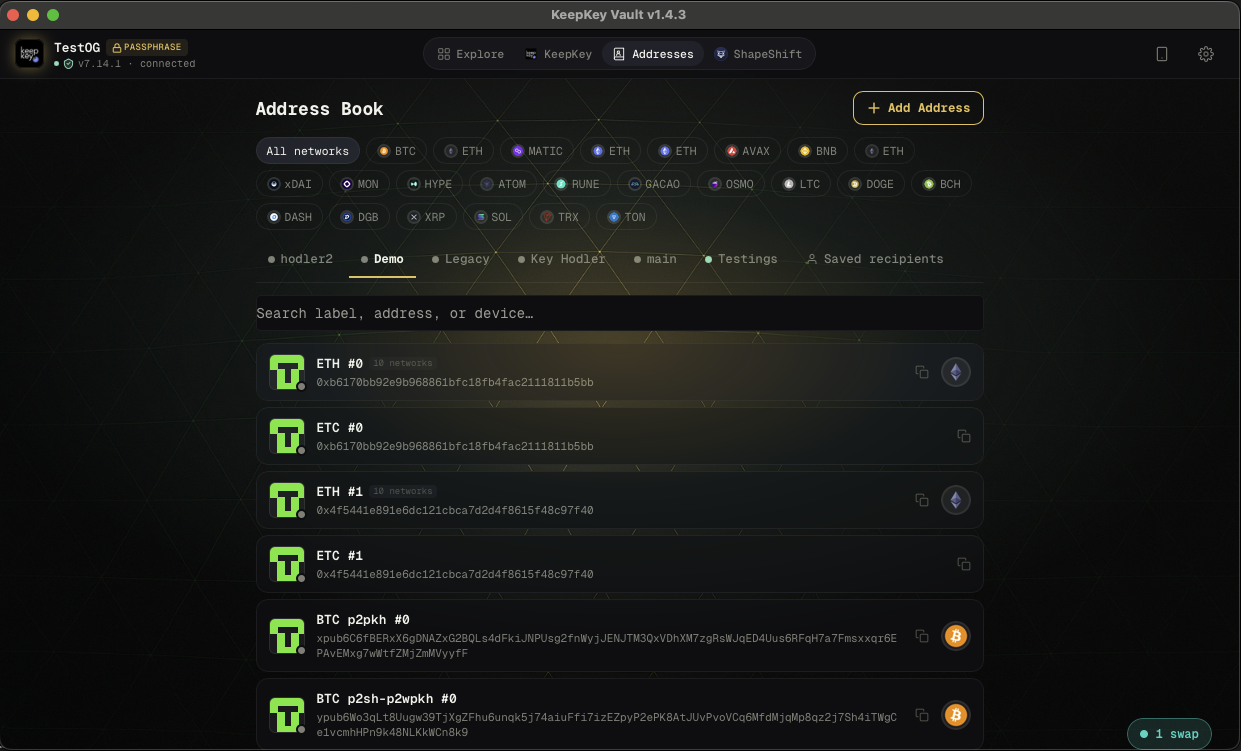
The Addresses tab is a personal address book for external addresses you send to regularly — exchange deposit addresses, your own cold storage, counterparties, or any address you want to label and reuse safely.
Why label addresses
Every time you send, you paste or scan a recipient address. Without labels, you have no way to tell at a glance whether the address you just pasted is the right one. With labels — “Coinbase BTC deposit”, “Alice”, “my Ledger” — you can verify at the review screen that the recipient is who you think it is.
This is a second layer of protection against clipboard malware that swaps your copied address with an attacker’s. If the label doesn’t say what you expected, stop before building the transaction.
Adding an address
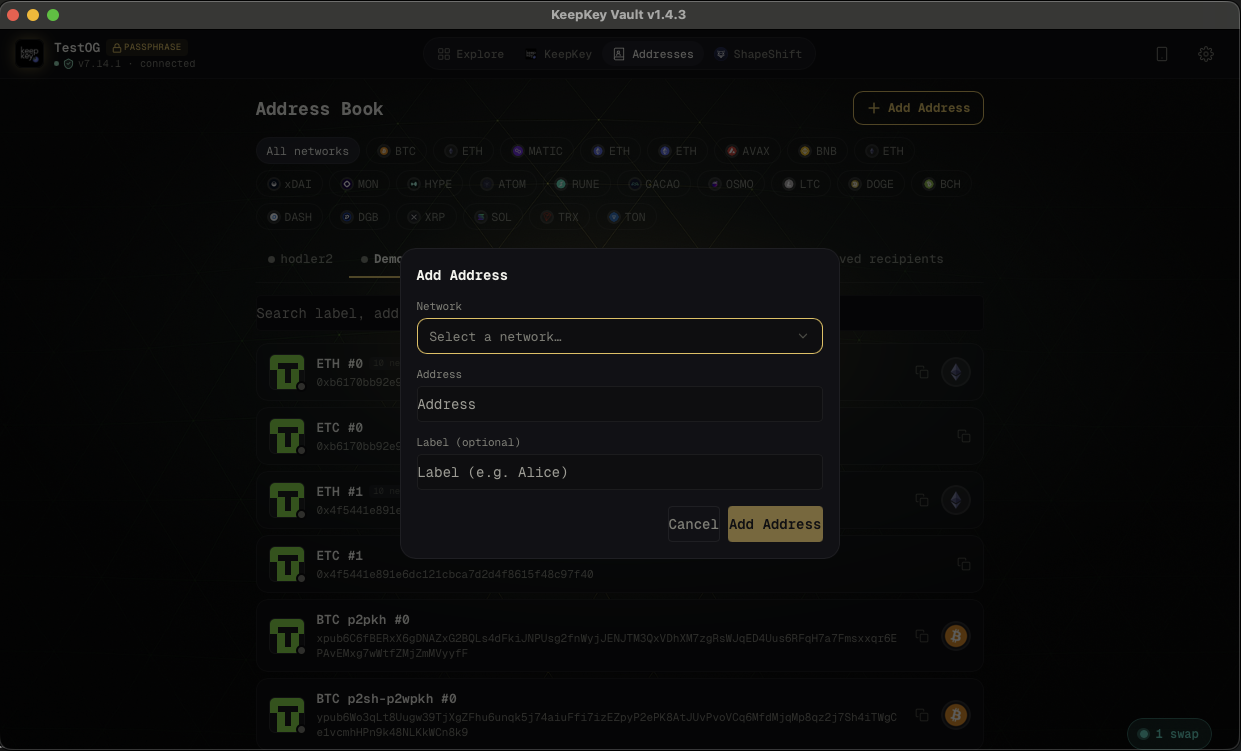
Click + Add Address, choose the network, paste the address, and give it a label.
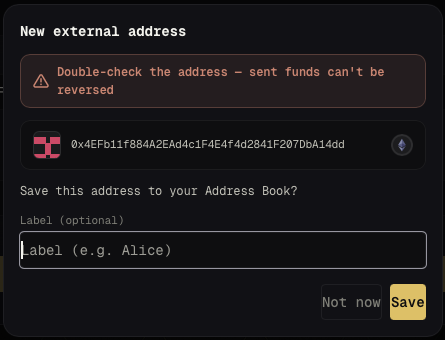
You can also save directly from the send flow: when you paste a new address, the desktop application offers to save it with a label on the spot.
Filtering by network
The address book is multi-chain. Use the network filter tabs at the top (All Networks, BTC, ETH, etc.) to narrow the list to a single chain.
Related
- Send & Receive — where saved addresses appear during the send flow
- Verifying Transactions — why double-checking recipients matters