# Scrambled Recovery Entry
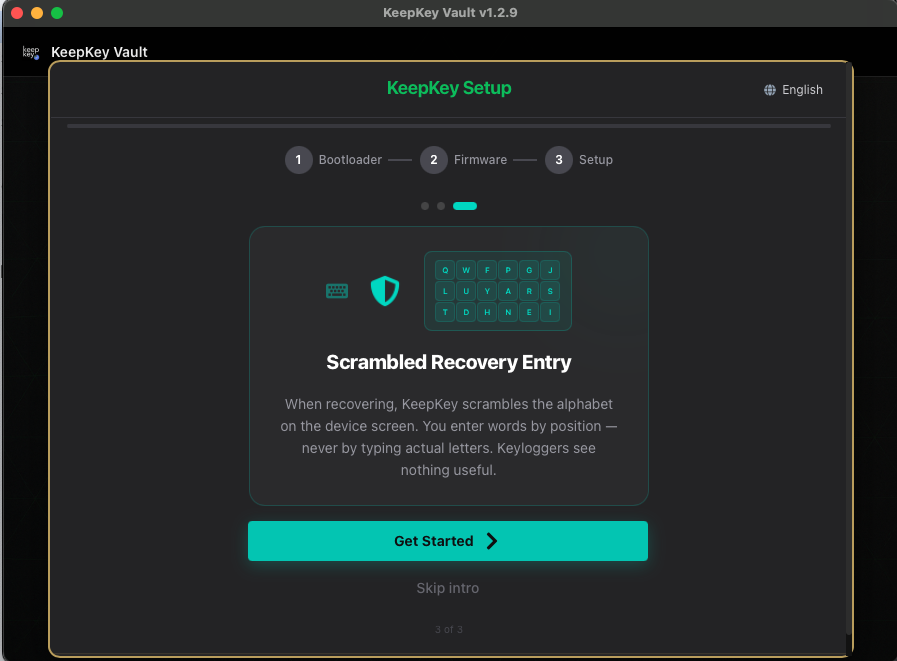
> *"When recovering, KeepKey scrambles the alphabet on the device screen. You enter words by position — never by typing actual letters. Keyloggers see nothing useful."*
>
> — card 3 of 3, shown before setup
 ## What this screen is telling you
Recovery is the one moment your entire seed passes through a user interface. Every other wallet does this with a text box — which means, for those few minutes, your recovery phrase exists in plaintext on a general-purpose computer. That is where seeds get stolen.
KeepKey never puts the letters on your computer. It puts a **shuffled alphabet on the device screen**, and your computer only ever sees which square you clicked.
## How the cipher input works
1. The device shows the alphabet in a random layout — for example:
```
Q W F P G J
L U Y A R S
T D H N E I
O Z X C V B K M
```
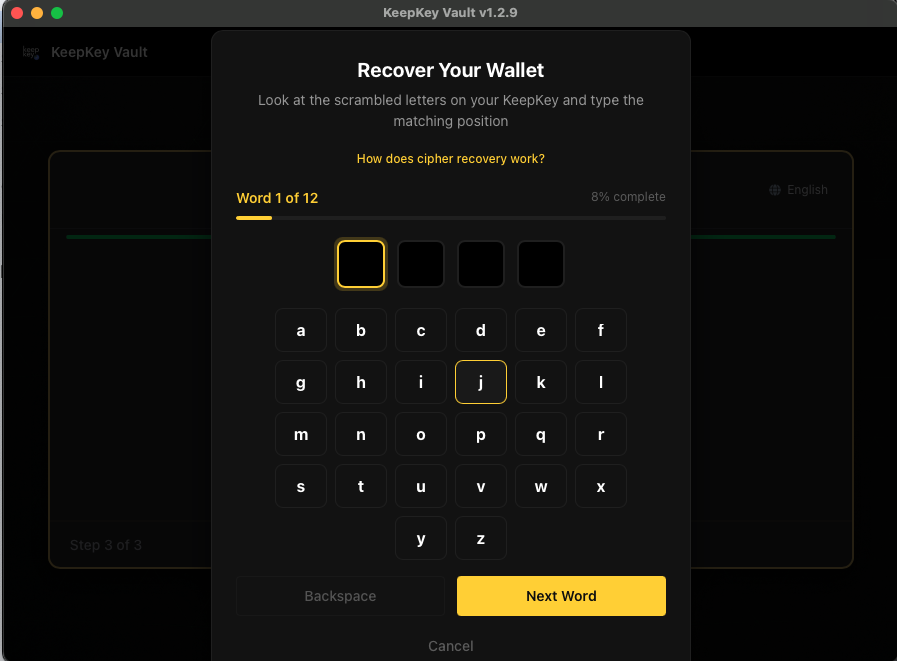
2. The desktop application shows a **blank grid** in the same arrangement. No letters.
3. For each letter of the current word, look at the device, find the letter, and click that position on the computer. To enter `F`, find F on the device and click wherever it sits.
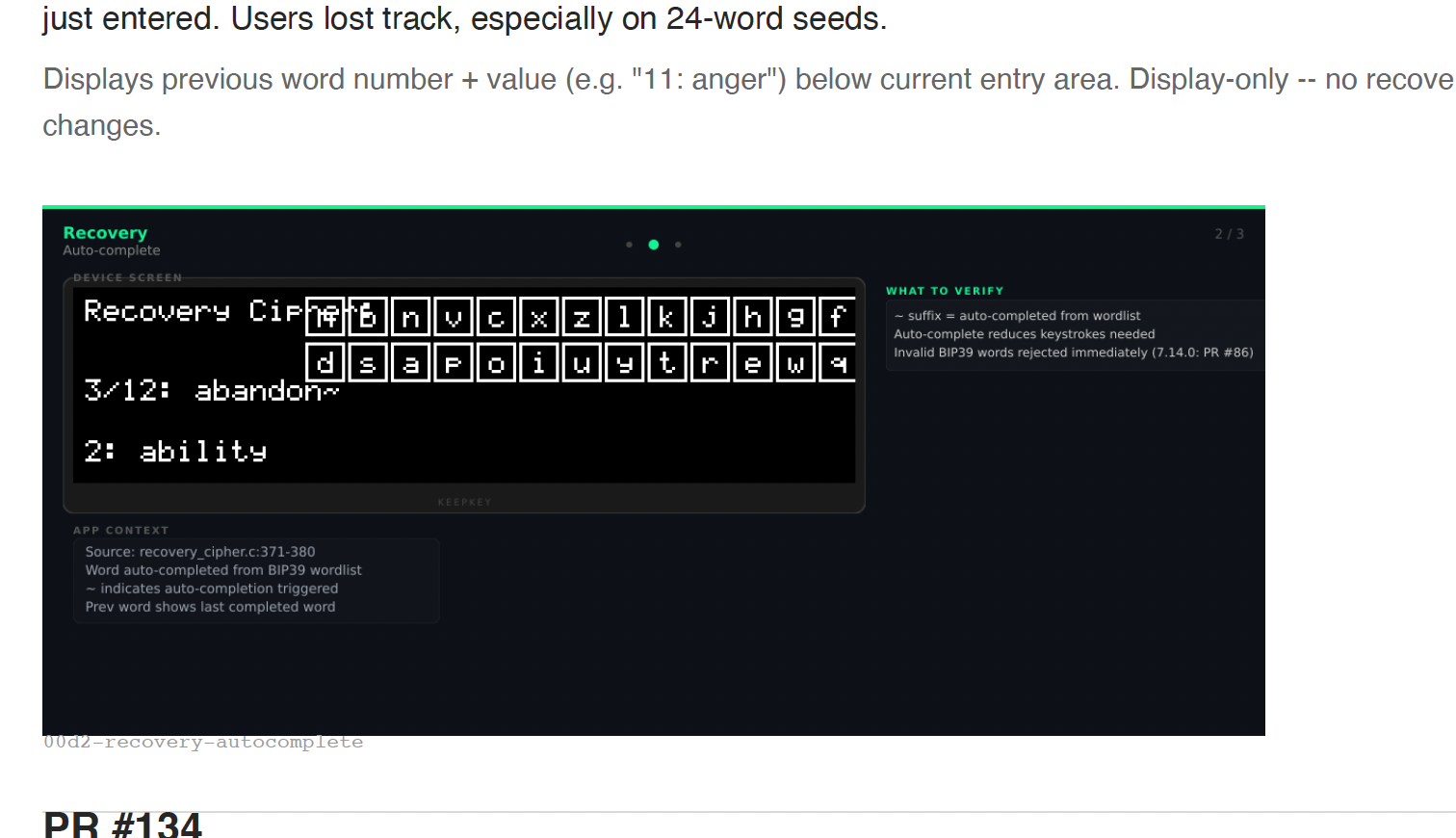
4. The device autocompletes each word from the BIP39 list once enough letters are in — you'll see the word resolve on the device screen.
5. **The alphabet reshuffles for the next word.** The same position never means the same letter twice.
## What this screen is telling you
Recovery is the one moment your entire seed passes through a user interface. Every other wallet does this with a text box — which means, for those few minutes, your recovery phrase exists in plaintext on a general-purpose computer. That is where seeds get stolen.
KeepKey never puts the letters on your computer. It puts a **shuffled alphabet on the device screen**, and your computer only ever sees which square you clicked.
## How the cipher input works
1. The device shows the alphabet in a random layout — for example:
```
Q W F P G J
L U Y A R S
T D H N E I
O Z X C V B K M
```
2. The desktop application shows a **blank grid** in the same arrangement. No letters.
3. For each letter of the current word, look at the device, find the letter, and click that position on the computer. To enter `F`, find F on the device and click wherever it sits.
4. The device autocompletes each word from the BIP39 list once enough letters are in — you'll see the word resolve on the device screen.
5. **The alphabet reshuffles for the next word.** The same position never means the same letter twice.
 ## What attack this defeats
| Attack | What the attacker gets |
| --- | --- |
| Keylogger | Mouse clicks on a blank grid |
| Screen recorder | A video of blank squares being clicked |
| Clipboard sniffing | Nothing — you never copy or paste |
| Compromised desktop app | Positions, with a mapping it never receives |
| Shoulder surfing your monitor | Nothing — the letters are on the device, facing you |
The only way to read the phrase during recovery is to see the **device screen** at the same time. So: shield the device, not the monitor.
## Rules while recovering
- **Look at the device, not the computer.** The device is the source of truth; the desktop grid is just a click surface.
- **Be alone, and out of camera view.** Webcams, security cameras, and windows all see the device screen.
- **Enter words in order**, exactly as written down.
- **Pick the right word count first.** A 12-word phrase entered as a 24-word recovery will not work — see [Set Up Your Wallet](/docs/desktop/setup/create-or-recover).
## What attack this defeats
| Attack | What the attacker gets |
| --- | --- |
| Keylogger | Mouse clicks on a blank grid |
| Screen recorder | A video of blank squares being clicked |
| Clipboard sniffing | Nothing — you never copy or paste |
| Compromised desktop app | Positions, with a mapping it never receives |
| Shoulder surfing your monitor | Nothing — the letters are on the device, facing you |
The only way to read the phrase during recovery is to see the **device screen** at the same time. So: shield the device, not the monitor.
## Rules while recovering
- **Look at the device, not the computer.** The device is the source of truth; the desktop grid is just a click surface.
- **Be alone, and out of camera view.** Webcams, security cameras, and windows all see the device screen.
- **Enter words in order**, exactly as written down.
- **Pick the right word count first.** A 12-word phrase entered as a 24-word recovery will not work — see [Set Up Your Wallet](/docs/desktop/setup/create-or-recover).
 ## If a word won't take
The device only accepts words from the BIP39 English wordlist. If a word is rejected, check your backup for a transcription error — `recieve`/`receive`, `flat`/`float`, an ambiguous handwritten letter. Every BIP39 word is uniquely identified by its first four letters, which is often enough to disambiguate bad handwriting.
## Related
- [Onboarding — recovering an existing wallet](/docs/desktop/onboarding#recovering-an-existing-wallet)
- [Recovery Phrase](/docs/desktop/recovery-phrase)
- [All setup screens](/docs/desktop/setup)
## If a word won't take
The device only accepts words from the BIP39 English wordlist. If a word is rejected, check your backup for a transcription error — `recieve`/`receive`, `flat`/`float`, an ambiguous handwritten letter. Every BIP39 word is uniquely identified by its first four letters, which is often enough to disambiguate bad handwriting.
## Related
- [Onboarding — recovering an existing wallet](/docs/desktop/onboarding#recovering-an-existing-wallet)
- [Recovery Phrase](/docs/desktop/recovery-phrase)
- [All setup screens](/docs/desktop/setup)