# Recovery Phrase
import StepVideo from '@/components/StepVideo'
# Recovery Phrase
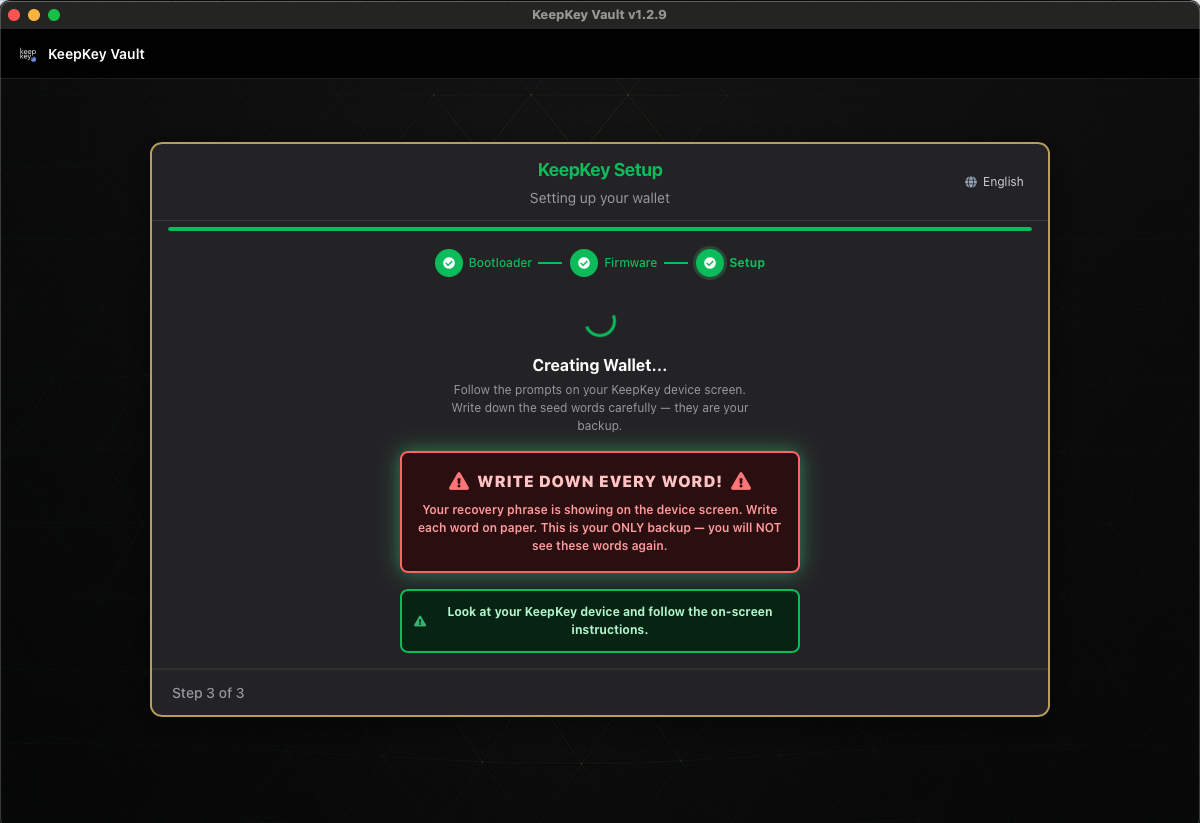
Your recovery phrase is **12 or 24 words** the device generates the first time you set it up. These words are the entire wallet. Anyone with these words controls your funds — forever, with no password, no account, and no recovery process.
 ## What the phrase really is
The words *are* the wallet: lose them and no one can restore your funds; let someone else read them and the funds are theirs. [Your Recovery Phrase](/docs/learn/recovery-phrase) explains why, and the BIP-39 standard behind it. This page covers storing and restoring it.
## How to store it
### Do
- **Write it on paper with a pen.** Pencil fades; ink lasts. Do this in a private place where no one can watch.
- **Check it twice.** Misspelled words can render the entire phrase useless. The BIP39 word list has very specific spellings.
- **Store it somewhere safe and private.** A locked drawer. A fireproof safe. A safe deposit box. Somewhere you trust.
- **Consider two copies in two locations.** A fire can destroy your only paper copy. But every additional copy is another place it can be stolen from — think carefully about the trade-off.
- **Consider a metal backup.** Cryptosteel, Billfodl, and similar products let you stamp the words into steel plates that survive fire, flood, and decay.
### Don't
- **Don't type the phrase into any computer, phone, website, or password manager.** Every one of these is a potential target for malware.
- **Don't photograph it.** Photos sync to iCloud, Google Photos, or a backup drive — suddenly your phrase is in a dozen places you didn't authorize.
- **Don't text or email it to yourself.** Email is plaintext forever. SMS is worse.
- **Don't say the words out loud near smart speakers.** Alexa, Siri, and Google Home are always listening.
- **Don't trust anyone who asks for it.** Real support people never need your phrase. If someone claims to be from "KeepKey support" and asks for your recovery phrase, they are stealing from you.
## If something goes wrong
If your device is lost, stolen, or broken, you can recover your wallet on a new KeepKey (or any BIP39-compatible wallet) by entering the recovery phrase. This is why the phrase exists: the *device* is replaceable; the *phrase* is not.
If you suspect someone else has seen your phrase, the safest action is to generate a new wallet on a new device and move your funds to the new wallet as quickly as possible. There is no way to "rotate" a recovery phrase.
## Restoring a wallet from your phrase
Plug in a new or wiped KeepKey, choose **Recover Existing Wallet**, and pick the word count you wrote down. After you set a PIN, you enter the words with scrambled recovery entry, so your computer never sees them. Step by step, with fixes for rejected words: [Scrambled Recovery Entry](/docs/desktop/setup/cipher-recovery).
## Related
- [Creating Your Wallet](/docs/desktop/setup/creating-wallet) — how the device shows you the phrase
- [Verify Your Recovery Phrase](/docs/desktop/setup/verify-backup) — test your backup
- [BIP85](/docs/desktop/bip85) — generating child seeds deterministically from your main phrase
- [Passphrase (Hidden Wallets)](/docs/desktop/passphrase) — adding a 25th-word secret to derive separate wallets from the same phrase
## What the phrase really is
The words *are* the wallet: lose them and no one can restore your funds; let someone else read them and the funds are theirs. [Your Recovery Phrase](/docs/learn/recovery-phrase) explains why, and the BIP-39 standard behind it. This page covers storing and restoring it.
## How to store it
### Do
- **Write it on paper with a pen.** Pencil fades; ink lasts. Do this in a private place where no one can watch.
- **Check it twice.** Misspelled words can render the entire phrase useless. The BIP39 word list has very specific spellings.
- **Store it somewhere safe and private.** A locked drawer. A fireproof safe. A safe deposit box. Somewhere you trust.
- **Consider two copies in two locations.** A fire can destroy your only paper copy. But every additional copy is another place it can be stolen from — think carefully about the trade-off.
- **Consider a metal backup.** Cryptosteel, Billfodl, and similar products let you stamp the words into steel plates that survive fire, flood, and decay.
### Don't
- **Don't type the phrase into any computer, phone, website, or password manager.** Every one of these is a potential target for malware.
- **Don't photograph it.** Photos sync to iCloud, Google Photos, or a backup drive — suddenly your phrase is in a dozen places you didn't authorize.
- **Don't text or email it to yourself.** Email is plaintext forever. SMS is worse.
- **Don't say the words out loud near smart speakers.** Alexa, Siri, and Google Home are always listening.
- **Don't trust anyone who asks for it.** Real support people never need your phrase. If someone claims to be from "KeepKey support" and asks for your recovery phrase, they are stealing from you.
## If something goes wrong
If your device is lost, stolen, or broken, you can recover your wallet on a new KeepKey (or any BIP39-compatible wallet) by entering the recovery phrase. This is why the phrase exists: the *device* is replaceable; the *phrase* is not.
If you suspect someone else has seen your phrase, the safest action is to generate a new wallet on a new device and move your funds to the new wallet as quickly as possible. There is no way to "rotate" a recovery phrase.
## Restoring a wallet from your phrase
Plug in a new or wiped KeepKey, choose **Recover Existing Wallet**, and pick the word count you wrote down. After you set a PIN, you enter the words with scrambled recovery entry, so your computer never sees them. Step by step, with fixes for rejected words: [Scrambled Recovery Entry](/docs/desktop/setup/cipher-recovery).
## Related
- [Creating Your Wallet](/docs/desktop/setup/creating-wallet) — how the device shows you the phrase
- [Verify Your Recovery Phrase](/docs/desktop/setup/verify-backup) — test your backup
- [BIP85](/docs/desktop/bip85) — generating child seeds deterministically from your main phrase
- [Passphrase (Hidden Wallets)](/docs/desktop/passphrase) — adding a 25th-word secret to derive separate wallets from the same phrase